Getting Started
Run SageBow inside a notebook-native IDE
SageBow specializes in data science, data engineering, and AI engineering workflows. It needs .ipynb support so the agent can see notebook outputs, iterate, and behave like a focused statistician or ML engineer. VS Code, PyCharm, Cursor, Windsurf, Spyder, and many more IDEs all work once their notebook extensions are enabled. Alternatively, you can simply run SageBow inside JupyterLab or Jupyter Notebook directly.
- Open or create a .ipynb project in your preferred IDE
- Jupyter extensions are free in all major editors
- Finished notebooks can always be exported to clean .py files
Install the SageBow package
Install SageBow like any other Python dependency. After installation, restart the kernel or IDE runtime so the UI widget loads cleanly.
pip install sagebow- Supports Python 3.9+ on macOS, Linux, and Windows
Launch the GUI in your Python environment
Drop this code into your notebook or cell and run the code. It renders the SageBow control center directly inside the output area so you never leave the notebook.
from sagebow import run
run()- The UI easily connects to your current kernel/session
Authenticate with your API access token
After purchasing a subscription, copy your API access token from the SageBow dashboard. Paste it into the auth prompt to unlock the agentic API. Authentication never grants agents access to your files — they only inspect schemas you explicitly select.
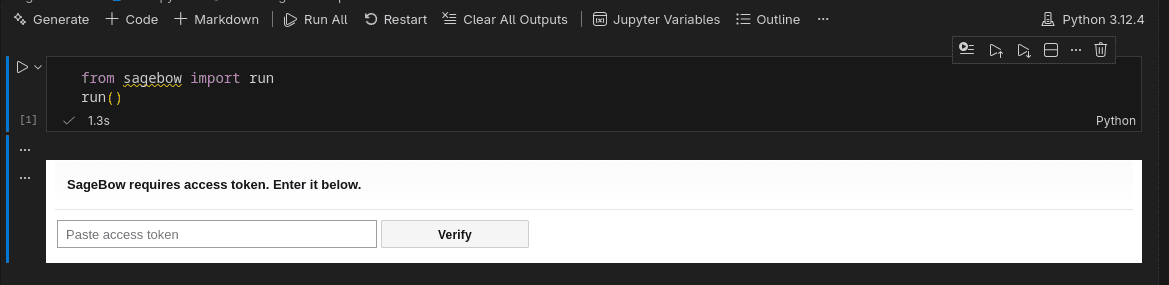
- Tokens live entirely on our secure backend stored in AWS
- No data leaves your environment unless you share it
Prompt, attach context, and let the agent run
Enter your project description inside the chat interface and attach any files/data the agent should analyze by pressing the context button. Any files in your directory can be used as context. SageBow executes up to nine steps autonomously, reporting back after each phase. If you need more iterations, simply re-prompt.
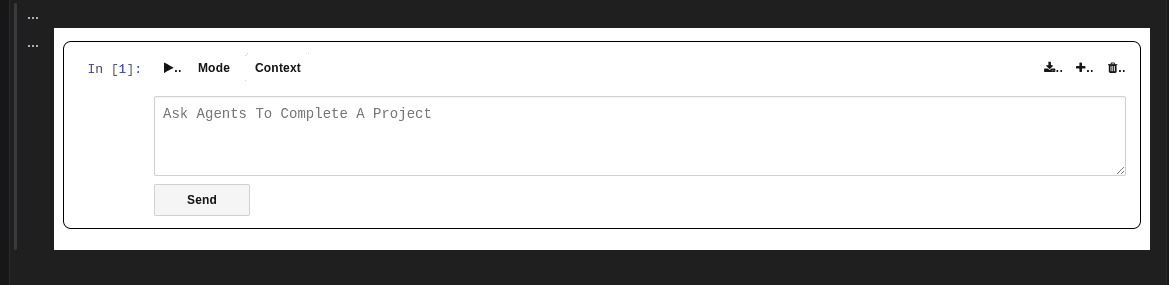
- Agents inspect schemas, never entire files
- Guardrails enforce a 9-step cap per run to prevent API overuse
- Perfect for data cleaning, exploratory analysis, feature engineering, and model tuning
Export your work when you're done
Finished iterating? Tap the download button in the top-right of the SageBow GUI to instantly export your session. Choose the format you prefer and keep a clean copy of every executed cell.
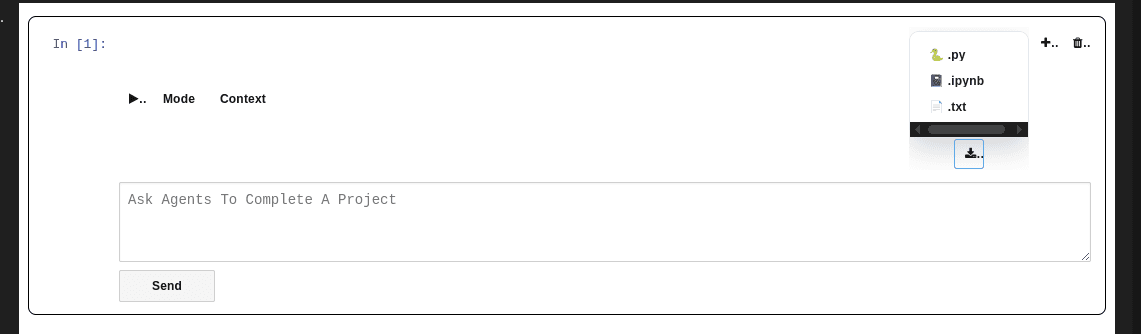
- Supported formats: .ipynb, .py, and .txt
- Perfect for sharing results with teammates or storing revisions